
Enterprise Internal Fraud (EIF)
Role: Lead Product Design, Usability testing, Researcher
Tools: Figma, FigJam
Challenge
I entered this team due to the designer unexpectedly leaving the company 4 months before MVP delivery with only 4 business days of Knowledge transfer received. This product was originally created to replace a legacy system that was repurposed to work fraud alerts triggered by internal Wells Fargo employees with suspicious or fraudulent behavior.
Primary objective :
• Continue product design delivery for MVP and re-work many features created from assumptions
• End-to-end product delivery using design thinking framework
• Facilitated usability testing of MVP features and data consolidation
• User interviews for feature validation
Legacy process
Currently, the Anti-internal fraud agents would utilize multiple separate systems to work a case (an alert) that would enter their queue of alerts to work for the day. These systems included document sharing on SharePoint, utilizing 3 separate Legacy systems to access different forms and record case findings, and saving all documents on their local device due to the primary Legacy system crashing or refreshing every 2 or 3 minutes. On average, it can take between 30 minutes to one hour just for agents to investigate a case and write up a report.
Legacy system to escalate alerts as active fraud
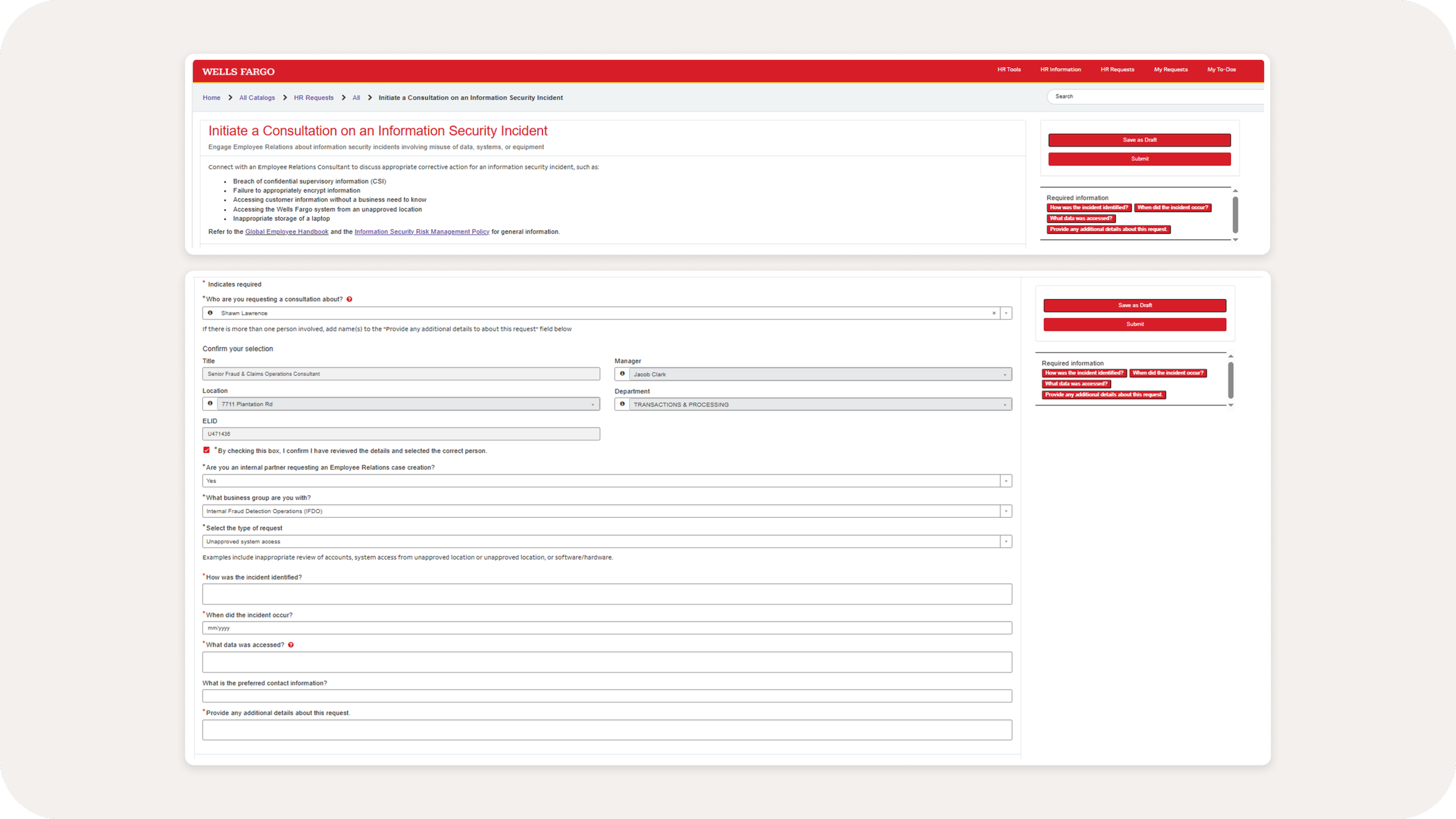
Another legacy form for alternative types of cases
The process
The current solution available was very scattered and required the agent to keep around 5 tabs on their browser and 3 programs open on their device just to investigate a certain alert. To begin, I first familiarized myself with all the existing legacy products, conducted user interviews, usability tested, and created flows to consolidate dispositioning (working) an alert.
User flows for alert statuses (Assigned, unassigned, in progress, Non-referral, referral, reopened, and QA). These are used as talking points in discussion for our product partners
Due to the many levels of complexities an alert can have, we focused a lot of our working sessions to following the alert status lifecycle to understand and cover all the possible scenarios an agent could encounter. The goal was to keep the agents working in one place to allow them to work efficiently and work higher volumes of alerts per day. On average, a single agent works between 10-15 alerts per day.
Flow delivery for handoff and validation with stakeholders, product partners, and engineers.
Usability testing and interviews
There were a number of concerns I addressed in the creation of this product due to the aggressive timeline with the volume of requirements. One of the largest issues with this product when I stepped in, was the user (agent) feedback was not lining up with the product requirements set for this MVP delivery. To justify creating space for usability testing, I began presenting common painpoints expressed in the user interviews (discussion-only) that contradicted the direction of the product feature requirements. Some of these conflicting issues included :
The requirement : Create a complex note system for agents to communicate with their managers on the notes. Prevent agents from continuing to work an alert until the manager responds to the request
The feedback : Any alert-related feedback/notes are included with the summary statement that is attached in the uploads container. Any communication happens offline on teams
The solution : Remove locking the alerts while a note is sent and allow the agent to continue working on the alert. Lower this feature priority by giving it less emphasis and have it take up minimal space.
The requirement : Create one universal form for agents to submit these alerts to (HR or Employee Conduct Management or non-referral form for non-fraud)
The feedback : Each channel (HR/Employee conduct) requires a separate set of information in order to allow intake. The issue with the universal form, was that it would render half of the input fields on the form irrelevant.
The solution : provide the correct forms and templates for employees to fill out for each specific reporting channel
Thus, on the side I was able to take some time out of the agent’s day to conduct usability testing with a Figma Prototype that would have the agents and agent managers step through high-priority features.
Affinity map created over the course of two weeks
Section of the affinity map to highlight issues, validate positive aspects of a feature, and summarize recommendations for next steps
Testing outcomes
With over 10 users tested (3 Managers, 7 Agents) in 60-90 minute testing sessions, I consolidated all of the received feedback and delivered to the product owners, stakeholders, and managers. These findings were added to the MVP 2 delivery (the second part of MVP, there were two iterations of MVP) which was to begin shortly after UAT testing and PROD delivery.
The major issue we discovered was that a major feature of this product was misunderstood in the requirements gathering step of this product. The feature needed to be completely re-worked as it did not fulfill the complete capabilities of an agent’s workflow.
Primary painpoints and issues identified:
Required pieces (such as uploading a document) should be an optional step in dispositioning an alert
We have over-consolidated the disposition forms when they should be separated. Each channel that receives the alert (employee conduct and HR) has a completely different intake form with different required fields.
Agents were confused with the flat layout as opposed to the flow, which was created completely on assumptions prior to my joining this project.
Generated case number after submitting a dispositioned alert required the agents to return to the submitted alert to add the case number as opposed to it being generated automatically. Which did not consolidate their process at all
Did not consider edge case for managers adding agents with no rules trained at all, since onboarding an agent with at least one rule they were trained on was a requirement by the system
Validation:
Both flows that were tested for the manager users were very smooth and had minimal pain points
Flow was more forward-moving and intuitive than the current platform
Agents were very happy with the design and experience
Cut the manager’s time on the platform by 80%, as most of their time is spent assigning alerts. Now the system auto-assigns alerts to agents based on what rule they are trained on.
Delivery
The final product (MVP 1) allowed the agents to receive a batch of alerts and work through these alerts in a single location. The queue and assignment logic of these alerts have been carefully evaluated by the managers of this system and stakeholders for alert priority while taking consideration of the solutions the agents have been trained on (which numbered over 60 different type of alerts).
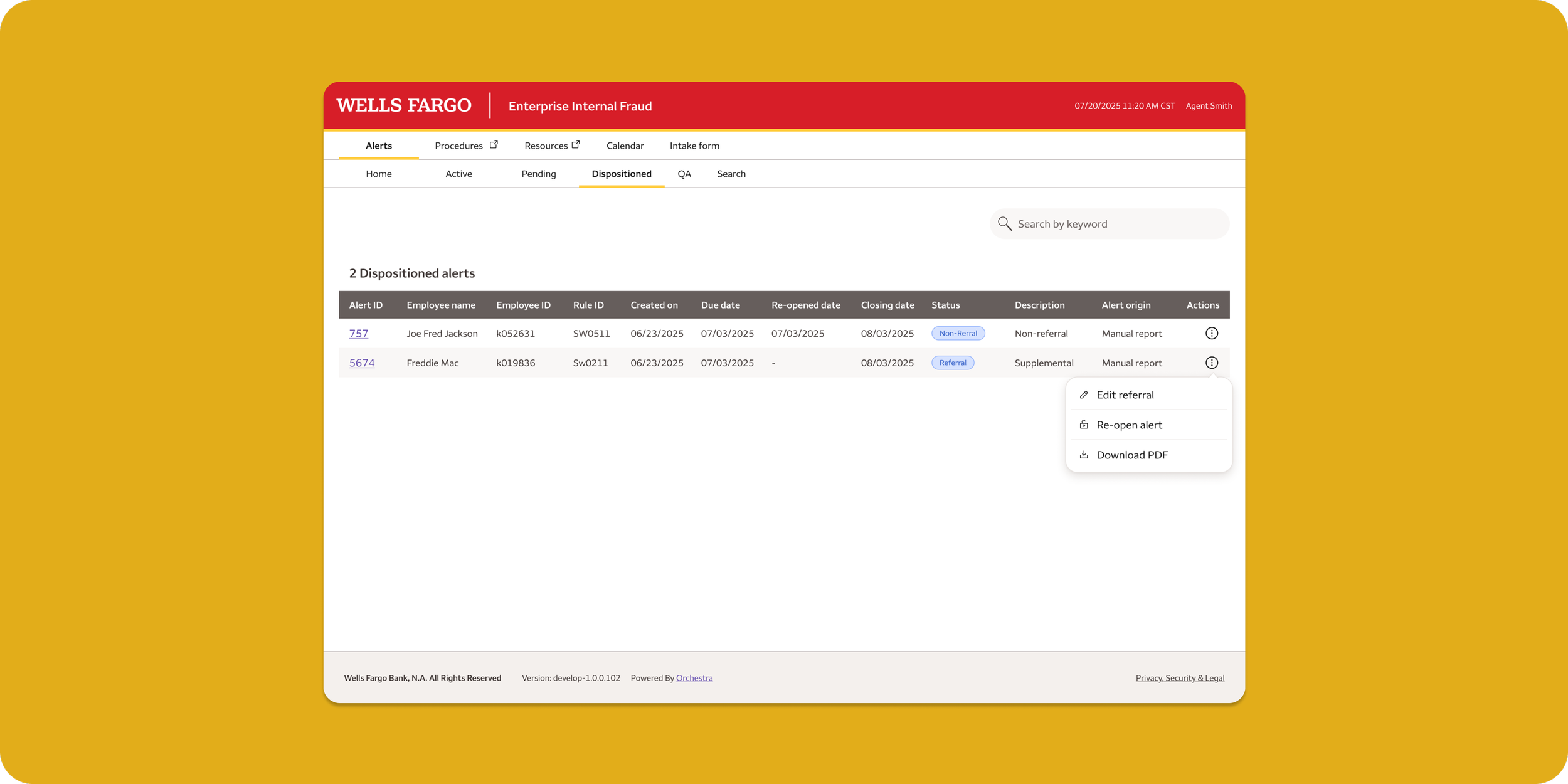
Agent alert queue
Alert details page